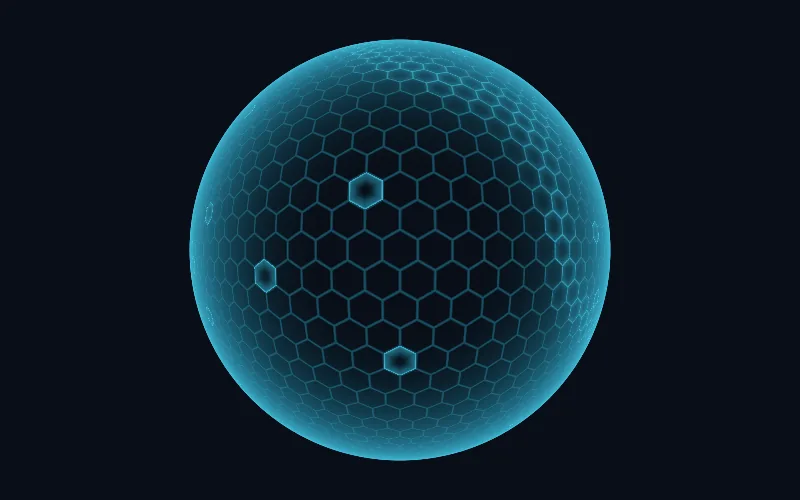
Force Field
A hexagonal energy shield that lights up where you touch it and ripples when clicked.
This browser cannot run WebGL2, so this is a still image. The code below works wherever WebGL2 is available.
Code
The usage always matches the preview, layers and performance settings included. No build step or package.
Copy embed gives one block to paste into any page or site builder, no setup. For your own code: add force-field.js, ittybitty-shader.js, runtime.js, container.js, pointer.js, shape.js, texture.js next to this page. Highlighted values follow the controls.
<!-- Quickest: one element. Size it with CSS; it fills its box. -->
<script type="module" src="./ittybitty-shader.js"></script>
<ittybitty-shader effect="force-field" style="width: 100%; aspect-ratio: 16 / 10;"></ittybitty-shader>

<!-- Or with JavaScript, for full control: -->
<canvas id="force-field" aria-hidden="true" style="width: 100%; aspect-ratio: 16 / 10; display: block"></canvas>

<script type="module">
  import { forceField } from './force-field.js';

  const canvas = document.getElementById('force-field');
  const effect = forceField(canvas, {
    showBackground: true,
    showLattice: true,
    showRim: true,
    showImpacts: true,
    shape: 'dome',
    speed: 0.6,
    size: 1,
    strength: 0.8,
    flow: 0.6,
    impacts: 0.8,
    interactive: true,
    responsiveness: 0.7,
    colour: '#3fd0ff',
    background: '#070b14',
    container: 'off',
    outline: 'itty',
    edgeLight: 0.6,
    rim: 0.6,
    gloss: 0.5,
    innerShadow: 0.5,
    // Performance
    dpr: 2,
    adaptive: true,
  });

  // Later: effect.set(…), effect.pause(), effect.resume(), effect.destroy()
</script>
Details
A lattice of hexagons, nearly clear at rest, bright at its rim, with bands of energy sweeping through it. The pointer brushes cells into light and every click lands as an impact: a flash and a ring of cells lighting up as it spreads. As a dome it floats over the scene; as a panel it fills its container, fitting buttons and cards.
- Payload
- 9.1 KB brotli for force-field.js and ittybitty-shader.js and runtime.js and container.js and pointer.js and shape.js and texture.js, measured at build time. See the method.
- Resolution
- Device pixel ratio capped at 2.
- Frame rate
- Display rate.
- When unseen
- Stops rendering when the canvas leaves the viewport or the tab is hidden, and resumes where it left off.
- Reduced motion
- Shows a single still frame. Controls still update it.
- Layers
- Up to five effects fuse into one shader and one draw call. Filters such as dithering and halftone process the layers beneath them.
- Browsers
- Any browser with WebGL2: Chrome and Edge 56+, Firefox 51+, Safari 15+.
- Licence
- MIT. Copy it, change it, ship it.